MealMentor
Case Study App
ABOUT
the Project
MealMentor is a mobile app designed to help adults overcome common barriers to healthy eating by empowering them to cook nutritious meals at home. With personalized recipe recommendations based on dietary preferences, the app provides step-by-step guidance to make healthy cooking simple and accessible. MealMentor was created with a focus on promoting better eating habits and improving individual well-being, making healthy lifestyles more achievable for everyone.
the Detail
Duration: 3 weeks
Role: UX designer
Tools Used: Figma
STATEMENTS
the Problem
Busy professionals struggle to find time for healthy cooking and rely on takeout due to complicated meal prep.
Health-conscious parents face challenges cooking healthy meals that their picky kids will enjoy, often opting for quick, unhealthy options.
Beginner cooks feel intimidated by complex recipes and lack the confidence to prepare healthy meals.
the Goal
Provide quick, simple recipes with minimal prep to fit into busy users’ schedules.
Offer customizable, family-friendly healthy recipes that cater to both kids and parents.
Create step-by-step cooking guides to help beginners build confidence and cook healthy meals easily.
DESIGN PROCESS
Starting with insights
To better understand the needs and challenges of adults learning to cook healthier meals, I conducted 10 user interviews with friends. These conversations uncovered common pain points and motivations, shaping the design direction for the app. The following three questions guided the research:
What challenges do you face when trying to cook healthy meals at home?
What motivates you to cook healthier meals, and what would encourage you to do it more often?
How do you typically find and choose recipes?
This research laid the foundation for developing user personas, which represent the key user types and their needs.
Personas

Amanda
Age: 35
Education: Bachelor’s in Business Administration
Location: New York City
Occupation: Marketing Manager
FRUSTRATIONS
Lack of time for meal prep
Relies on takeout for convenience
Finds healthy recipes too time-consuming
GOALS
Find quick, healthy recipes with minimal ingredients
Integrate meal planning into her busy schedule
Save money by cooking instead of ordering takeout
Amanda works long hours and often orders takeout. She wants quick, healthy meals that fit her busy lifestyle without complicated ingredients or long prep times.

Carlos
Age: 42
Education: Bachelor’s in Computer Science
Location: San Diego
Occupation: IT Specialist
FRUSTRATIONS
Struggles with picky eaters
Lacks time for healthy meal prep
Resorts to quick but unhealthy meals
GOALS
Find kid-friendly, healthy recipes
Save time by prepping meals on weekends
Improve his family’s overall health
Carlos tries to make healthy meals for her family but struggles to balance time and her kids’ preferences. She wants a tool to find easy, kid-friendly recipes.

Jasmine
Age: 28
Education: Bachelor’s in Education
Location: Austin, TX
Occupation: Elementary School Teacher
FRUSTRATIONS
Intimidated by complex recipes
Lacks confidence in cooking
Unsure how to buy the right ingredients
GOALS
Build confidence with simple, beginner-friendly recipes
Learn how to plan balanced, healthy meals
Save money by avoiding wasted ingredients
Jasmine recently decided to learn how to cook but often gets overwhelmed. She’s looking for a tool to guide her through simple, healthy recipes to build confidence.
Sitemap
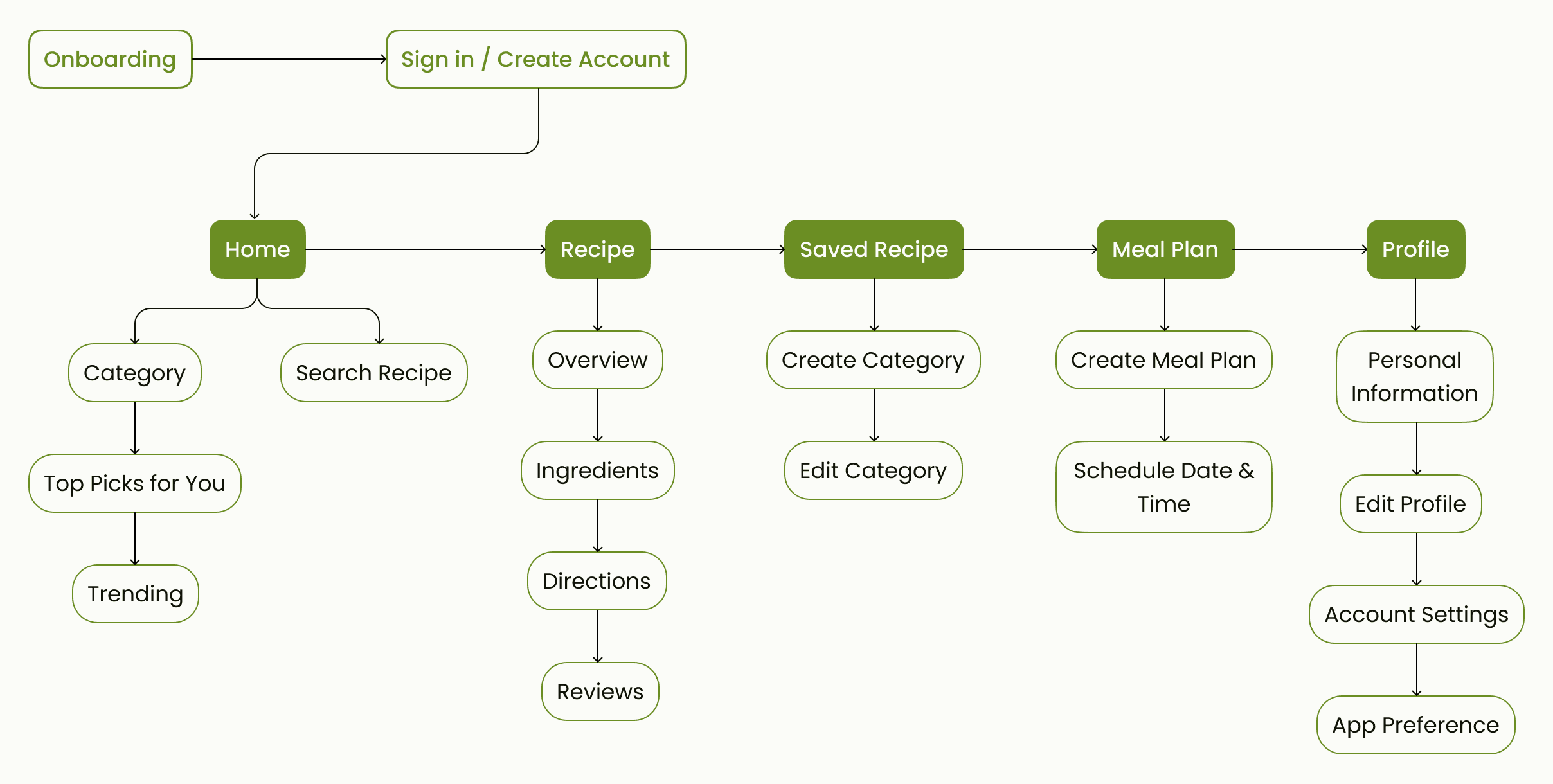
After defining key user personas, the app’s sitemap was crafted to meet their specific needs and goals.
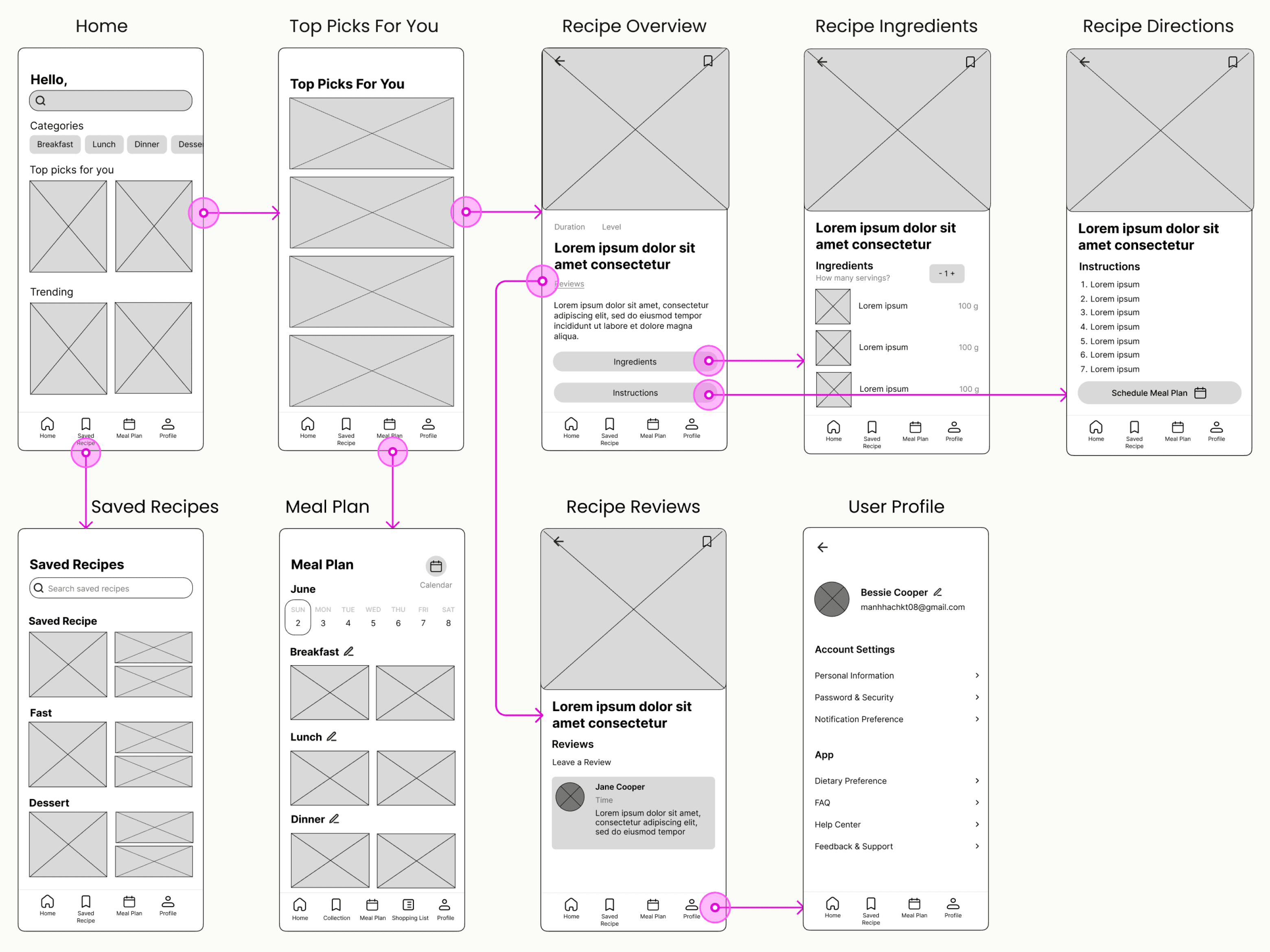
Low-Fidelity Wireframe & Prototype
Accomplish the Goal
Goal 1:
Provide quick, simple recipes with minimal prep to fit into busy users’ schedules.
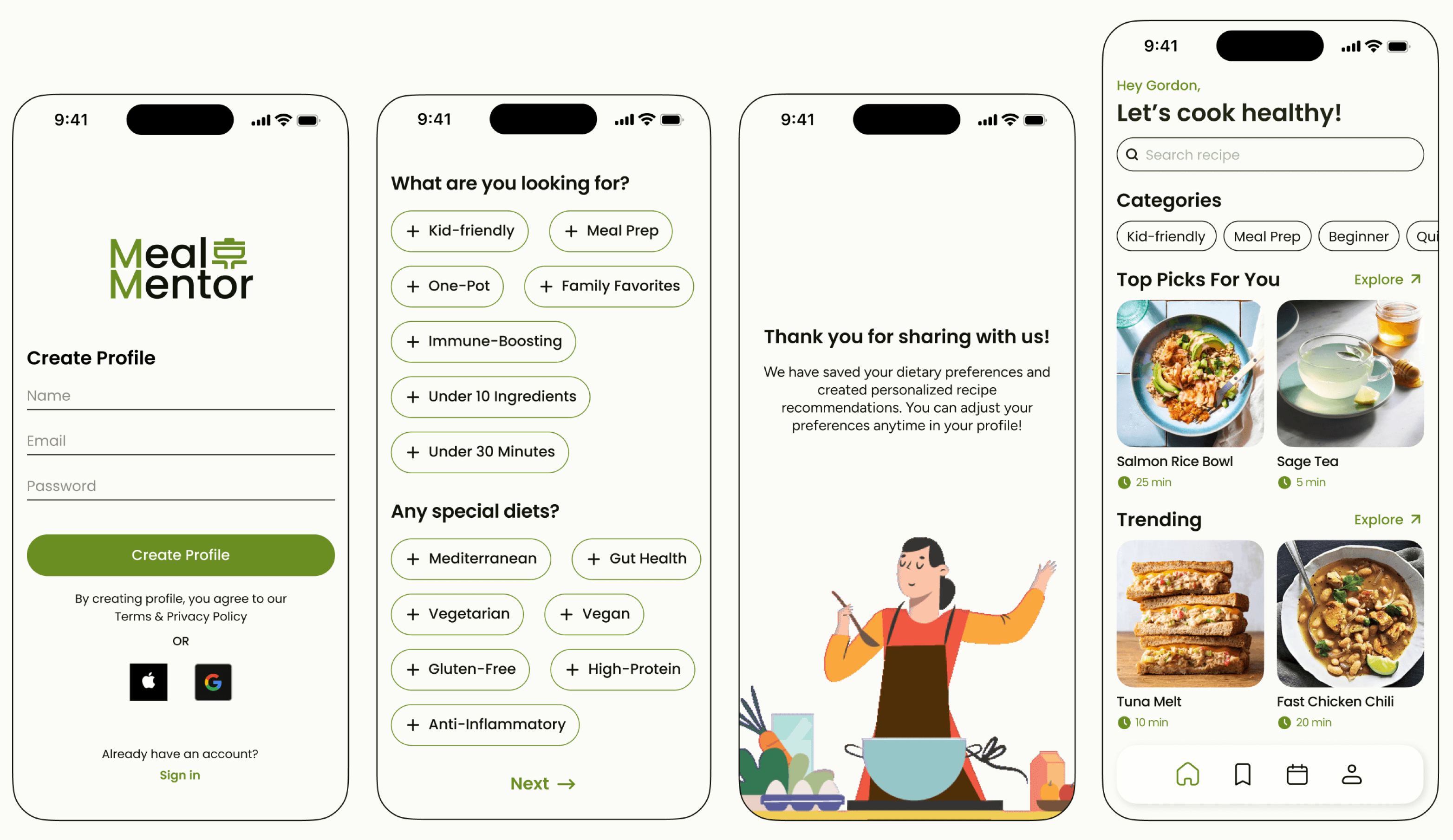
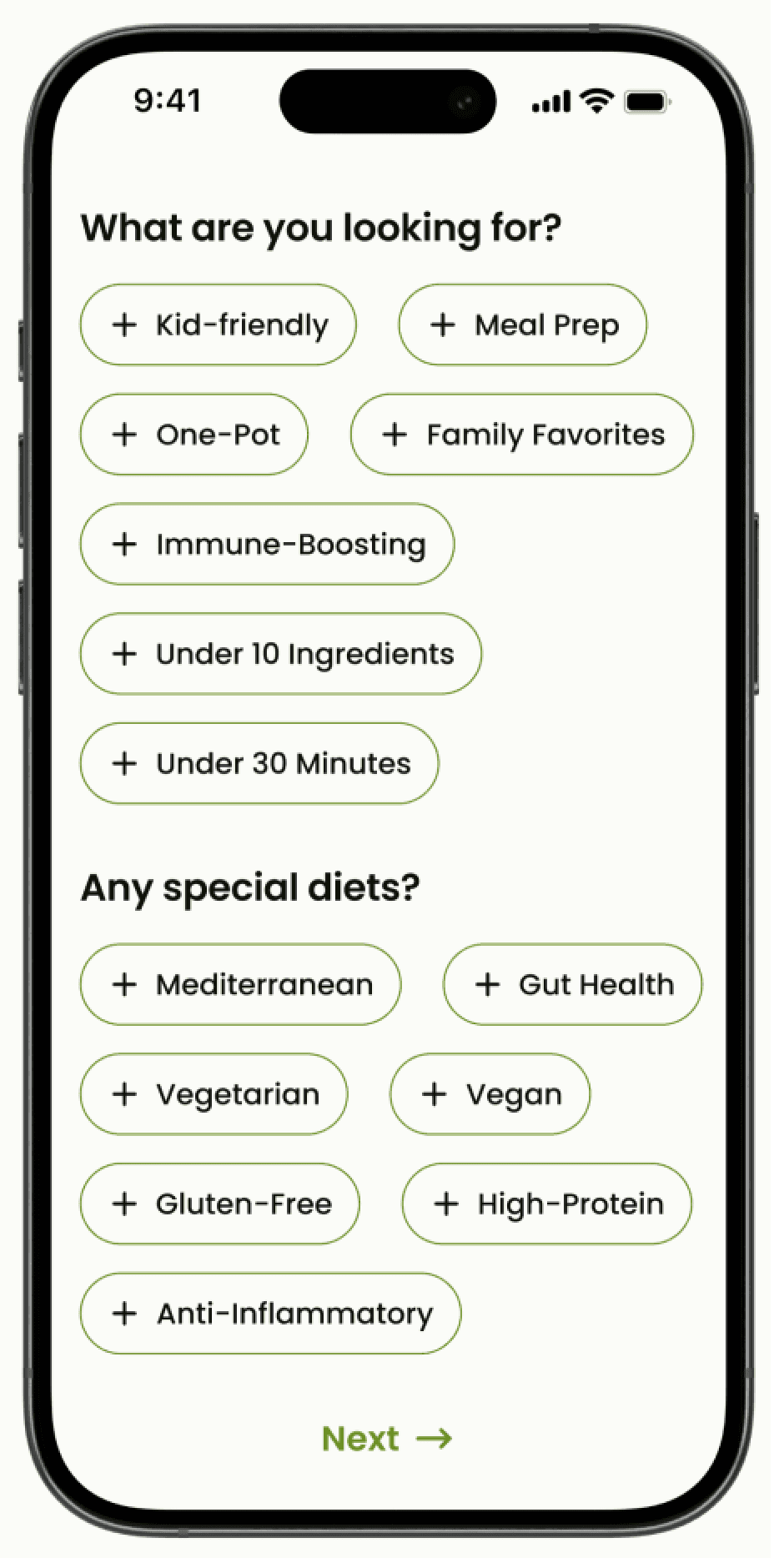
We addressed this goal through personalized onboarding screens that allow users to specify preferences, such as recipes under 30 minutes or meal prep options. Based on this input, the home page features “Top Picks For You” with quick and simple recipes tailored to each user’s schedule, ensuring they can find meals that match their busy lives with minimal effort.
Goal 2:
Offer customizable, family-friendly healthy recipes that cater to both kids and parents.
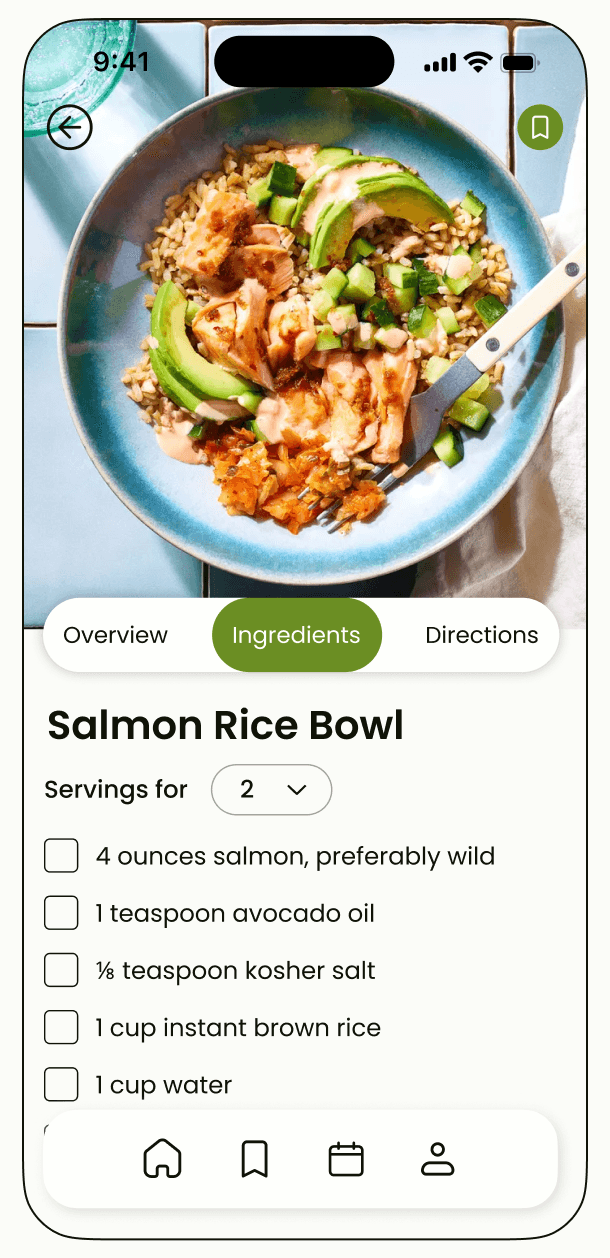
Users can indicate their need for kid-friendly or family-sized recipes during onboarding. Once they click on a recipe, they can easily adjust the serving size on the ingredients page to accommodate larger portions, such as for family meals.
Goal 3:
Create step-by-step cooking guides to help beginners build confidence and cook healthy meals easily.
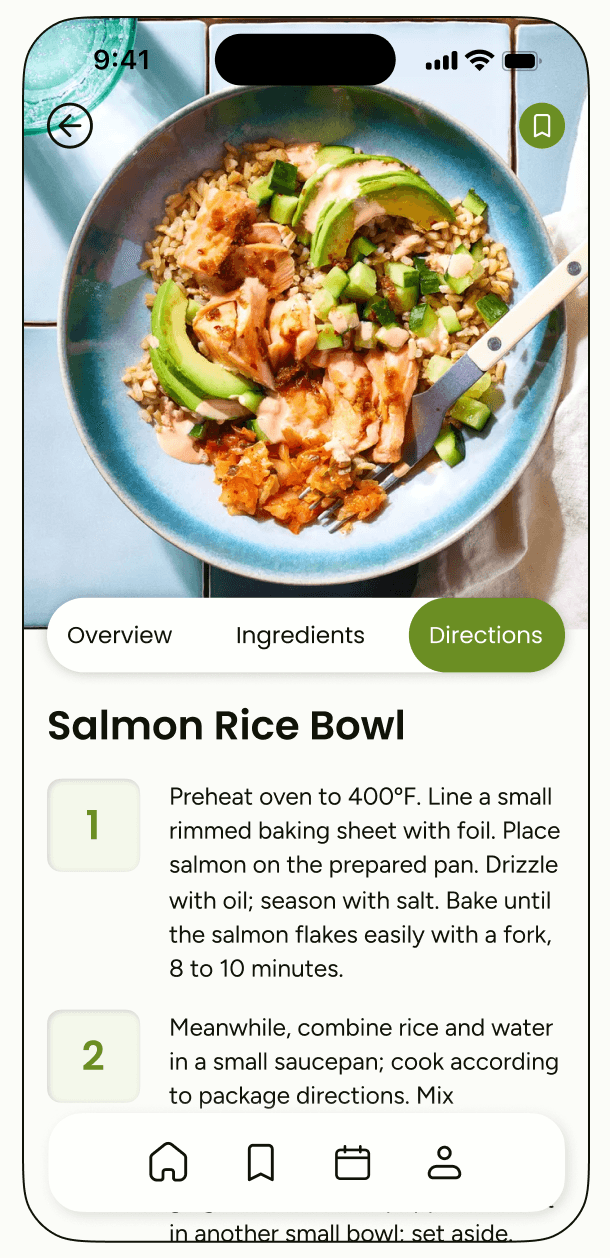
Each recipe page includes detailed, step-by-step cooking guides designed to make the process approachable for beginners. This feature provides a clear roadmap for users new to cooking, empowering them to follow healthy recipes with ease.
Iterate the Design
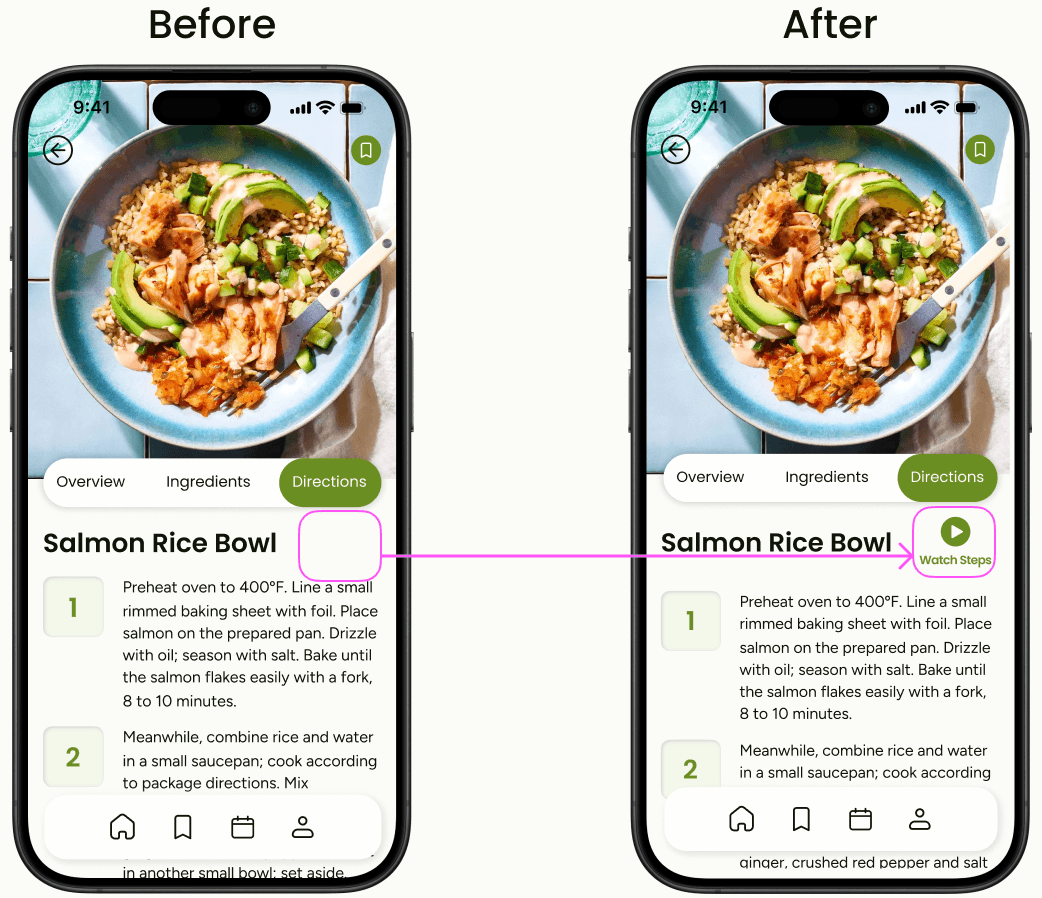
During the usability study, we tested the recipe directions page to understand how users interact with the step-by-step instructions. Several users expressed a preference for video tutorials instead of solely reading the recipe steps, stating that watching the process made it easier to follow along and feel confident in their cooking.
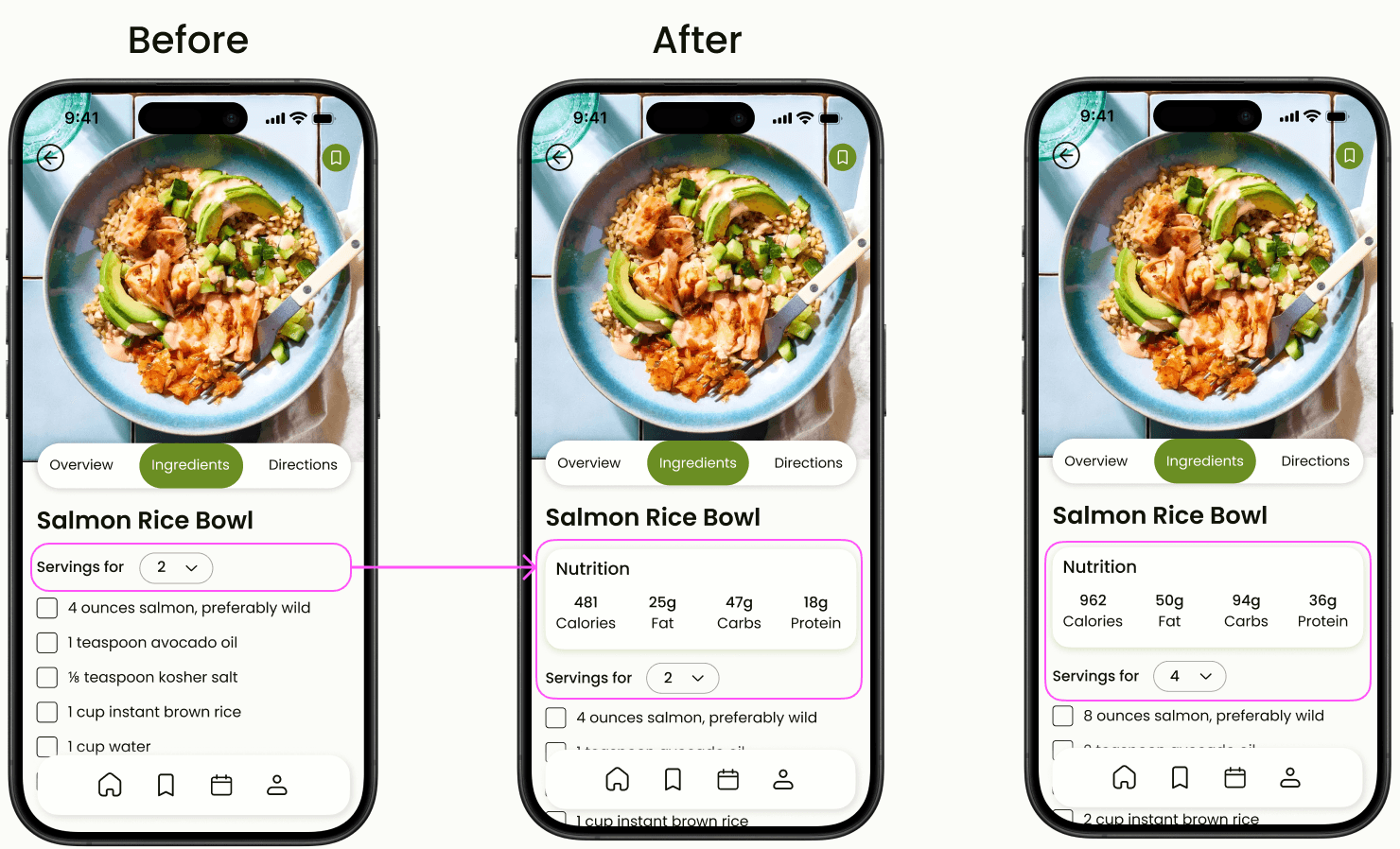
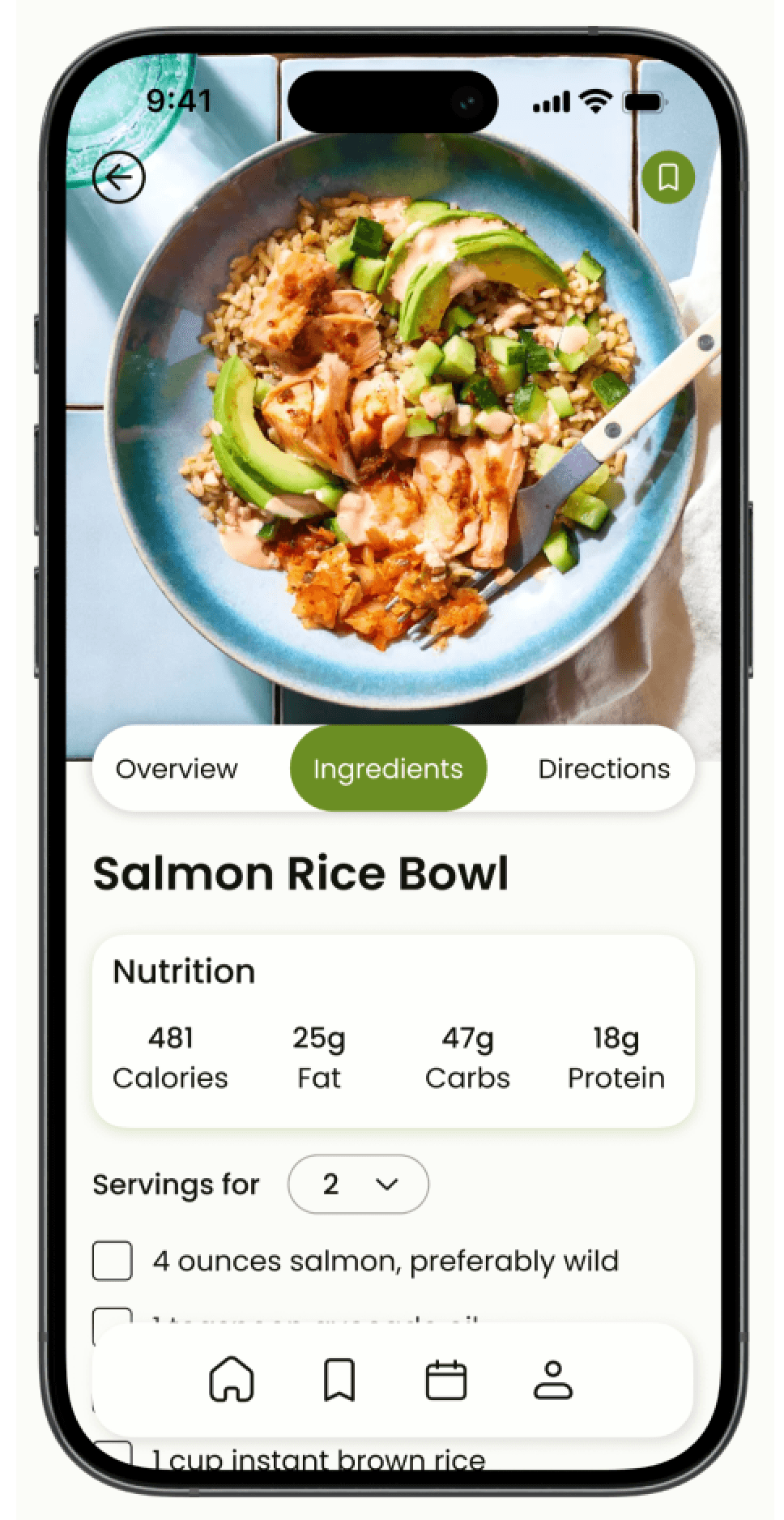
To enhance user experience, we also added a dynamic nutritional information feature that displays estimated nutrition for each recipe. This data updates automatically as users adjust the serving size, allowing them to track their caloric intake while customizing portions.
Final Design
Onboarding
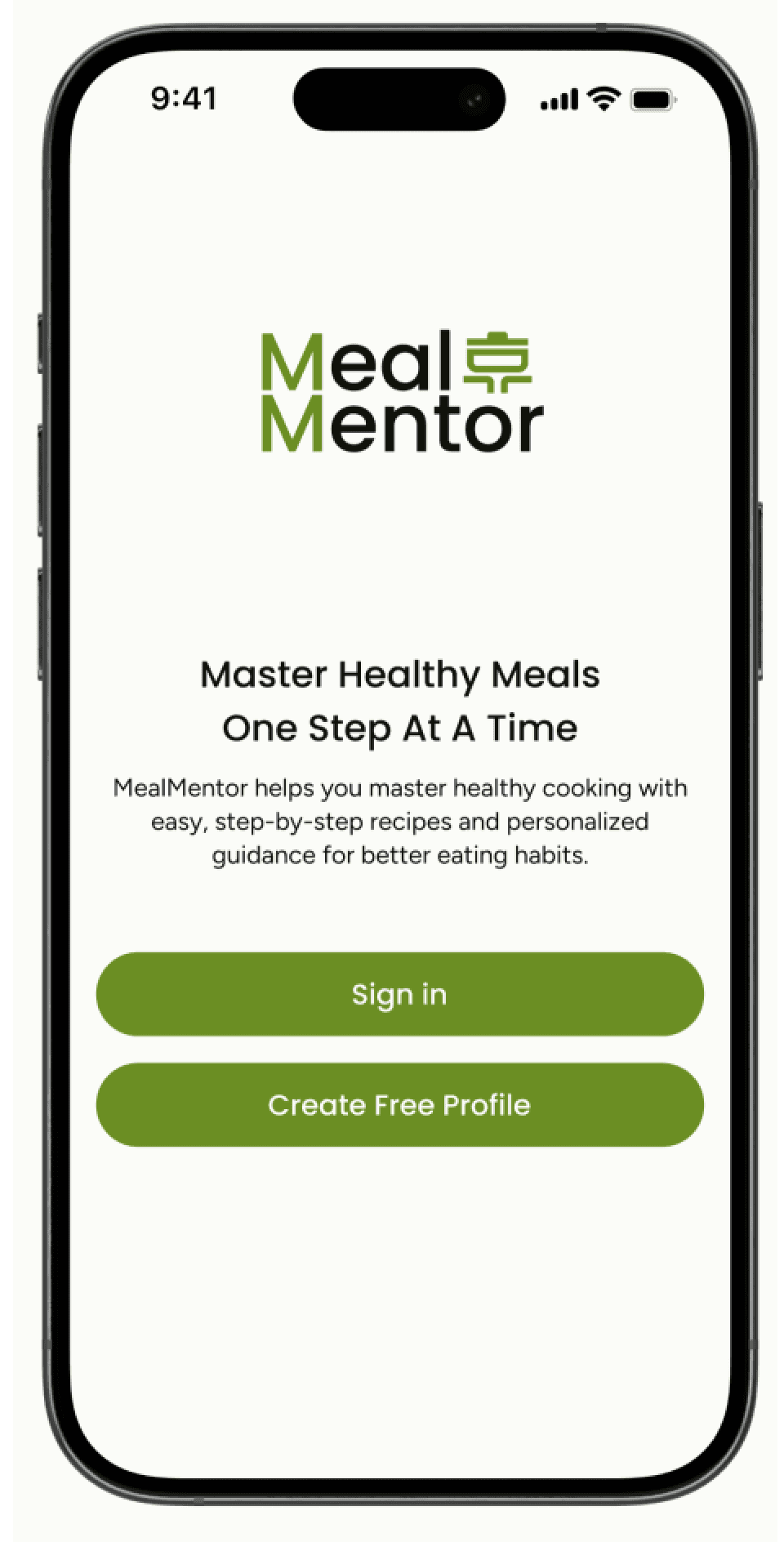
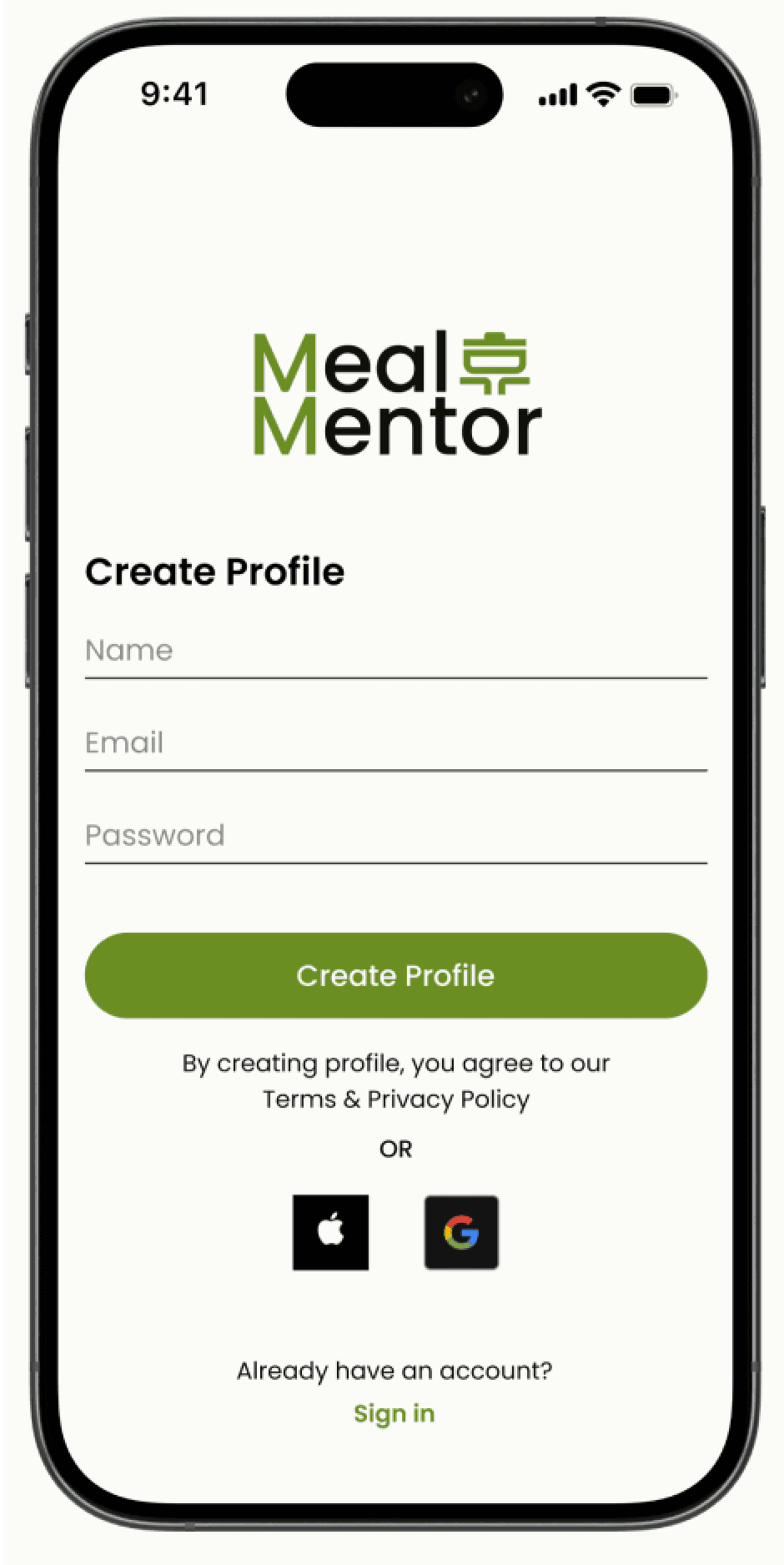
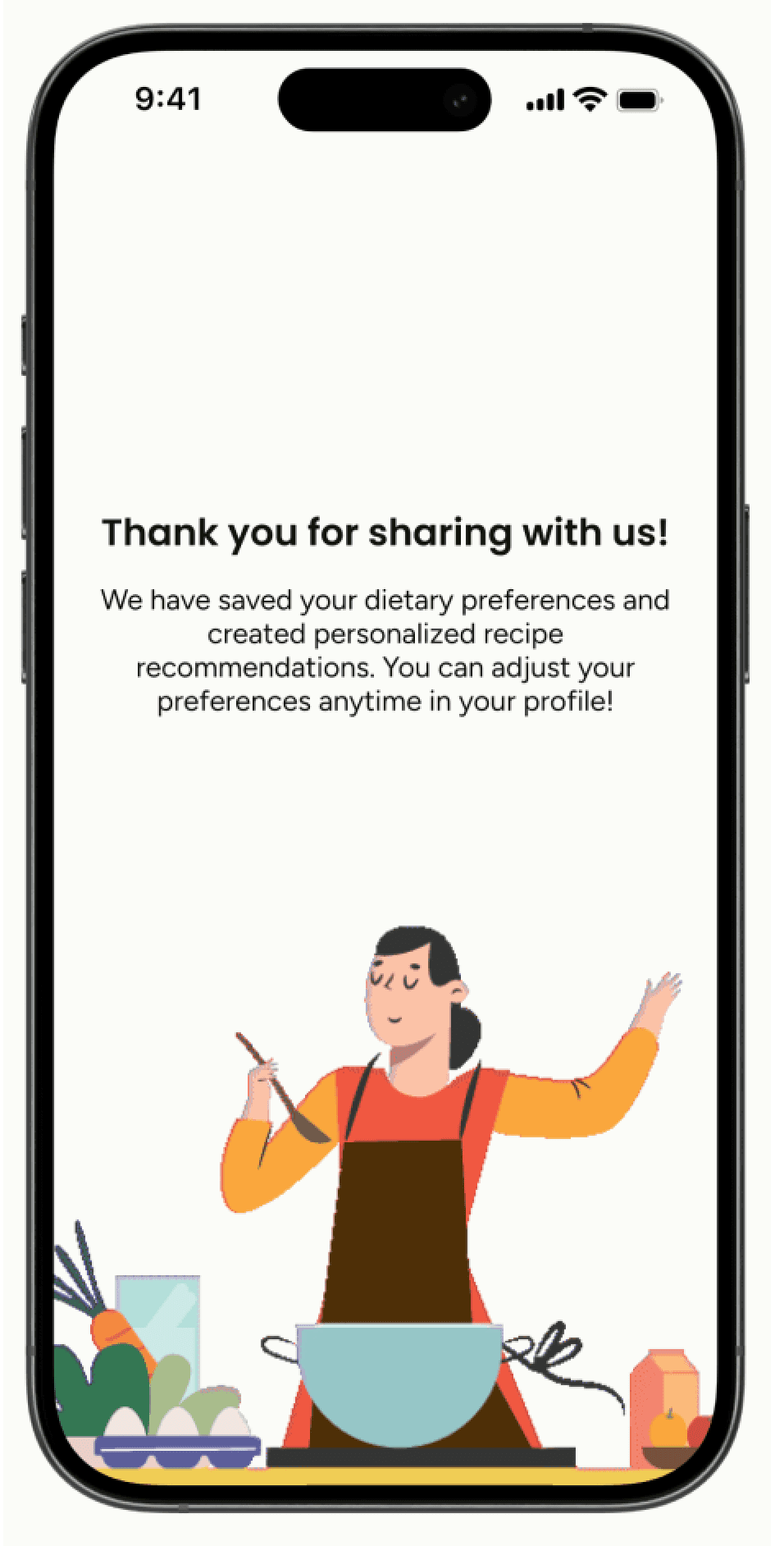
MealMentor’s onboarding gathers user preferences, like meal types and dietary needs, to personalize recipe recommendations. This process ensures that users get tailored suggestions right from the start, enhancing their cooking experience.
Home
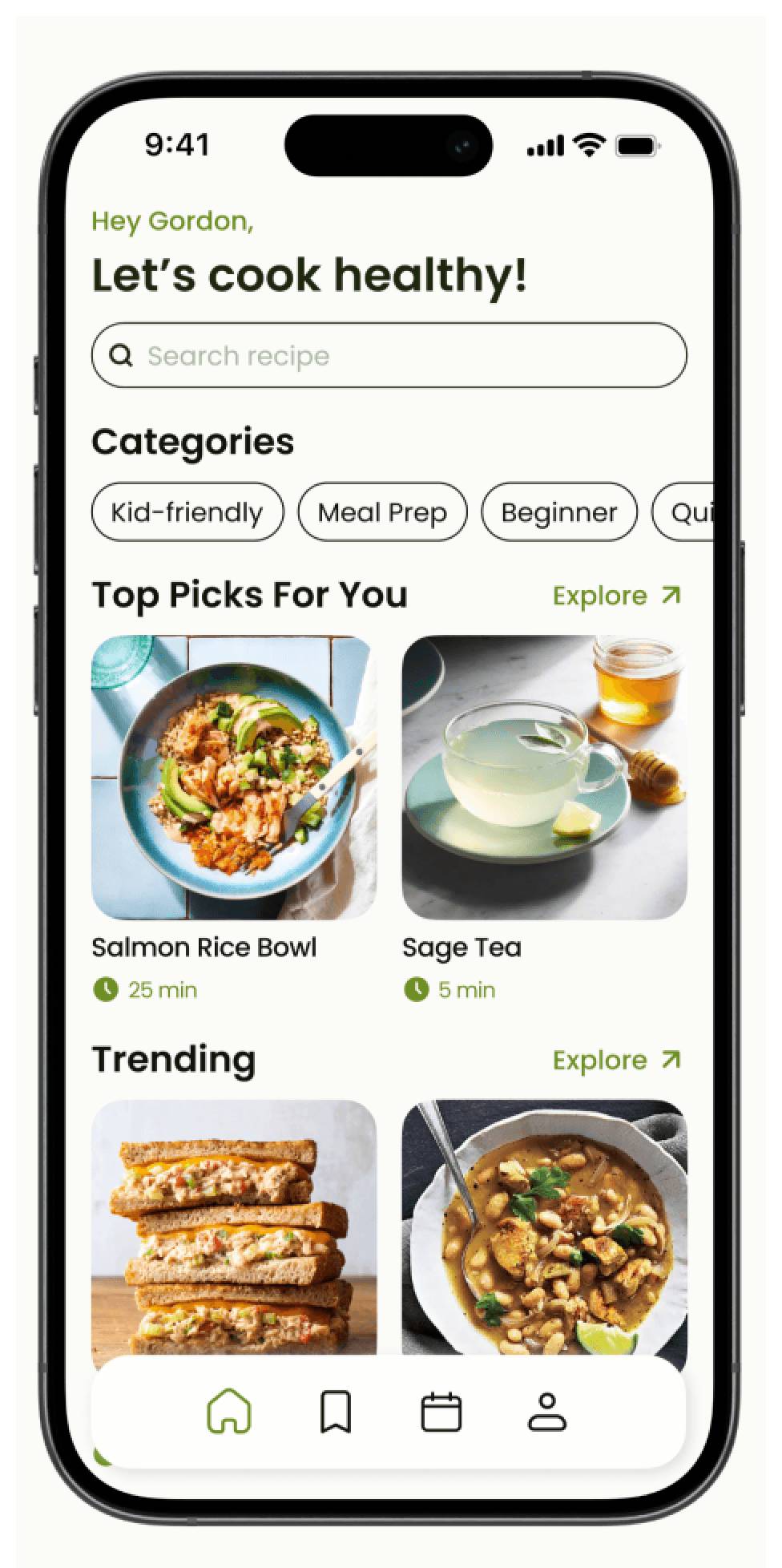
The MealMentor Home is designed to offer users easy access to a wide variety of recipes. Users can search for specific meals or explore different categories based on their interests, making it simple to find what they’re looking for. Personalized recipe suggestions are displayed prominently, tailored to each user’s preferences shared during onboarding.
In addition to personalized recommendations, users can also browse trending recipes for additional inspiration. This variety ensures that users always have fresh ideas and options that cater to their taste, dietary needs, and cooking habits.
Recipe
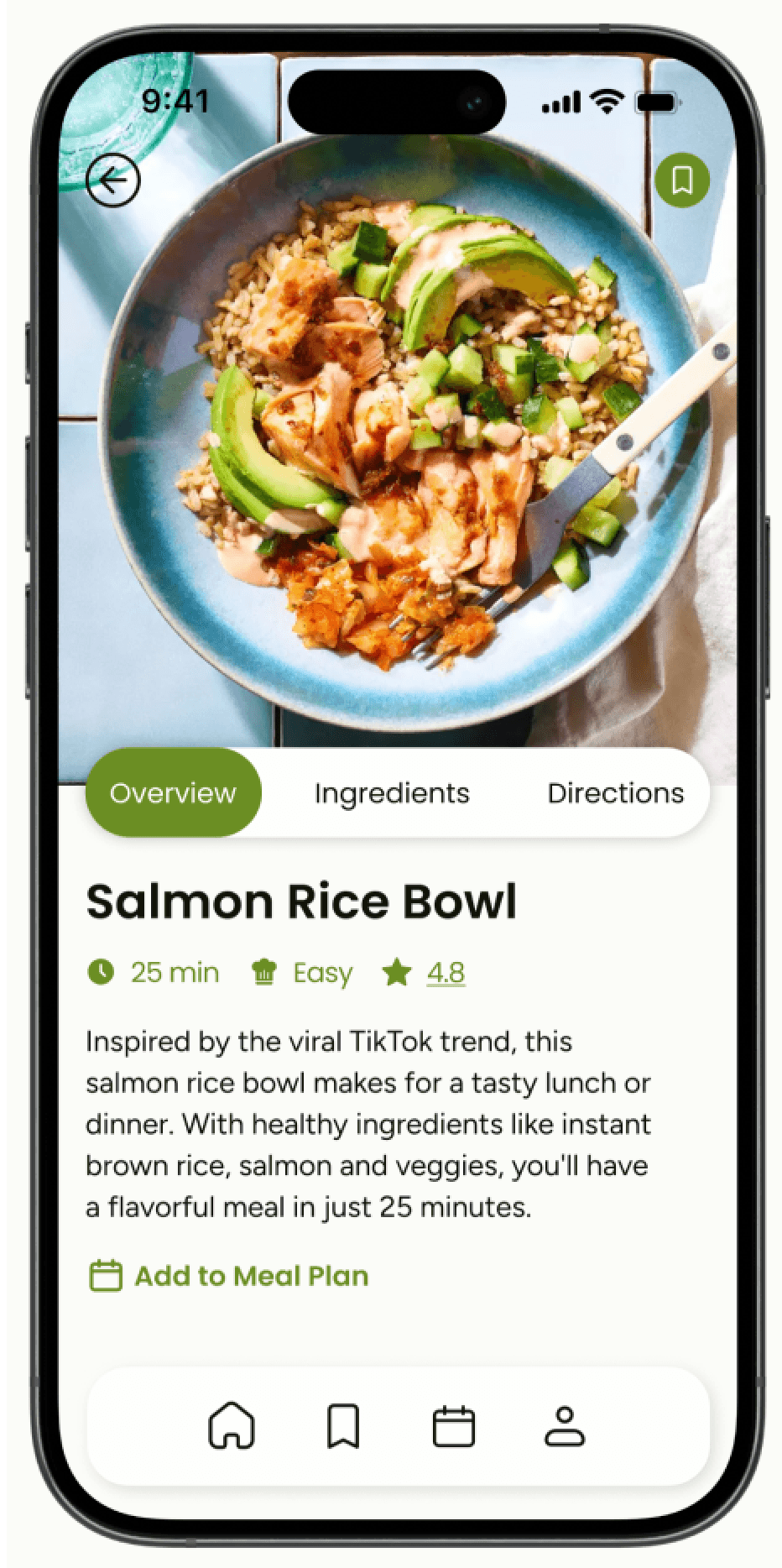
The Recipe in MealMentor is divided into three key sections: overview, ingredients, and directions.
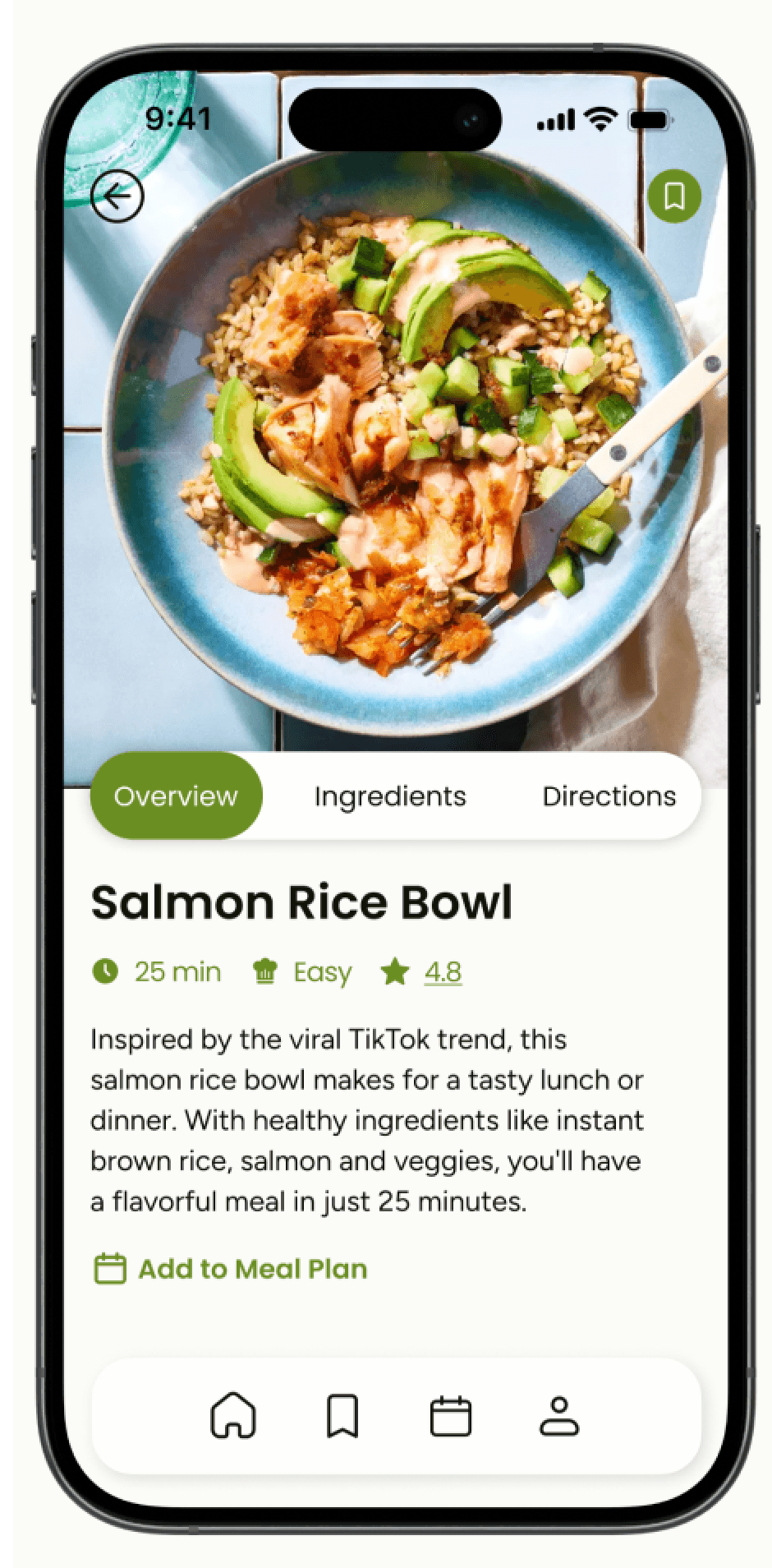
The Overview section provides users with quick, essential details about each recipe, making it easier to decide if it suits their needs. Information like cooking time, difficulty level, and recipe reviews help users gauge whether the recipe fits into their schedule and skill level.
The Ingredients section allows users to adjust serving sizes, and the app automatically updates the nutrition information.
During the design iteration, we added the nutrition information feature based on feedback, as our target users are focused on finding healthy recipes.
The Directions section offers step-by-step guidance for preparing the recipe.
Additionally, the “Watch Steps” button added during the design iteration lets users follow along with video tutorials, improving accessibility and accommodating users who prefer visual learning or need more hands-on instruction.
Saved Recipe
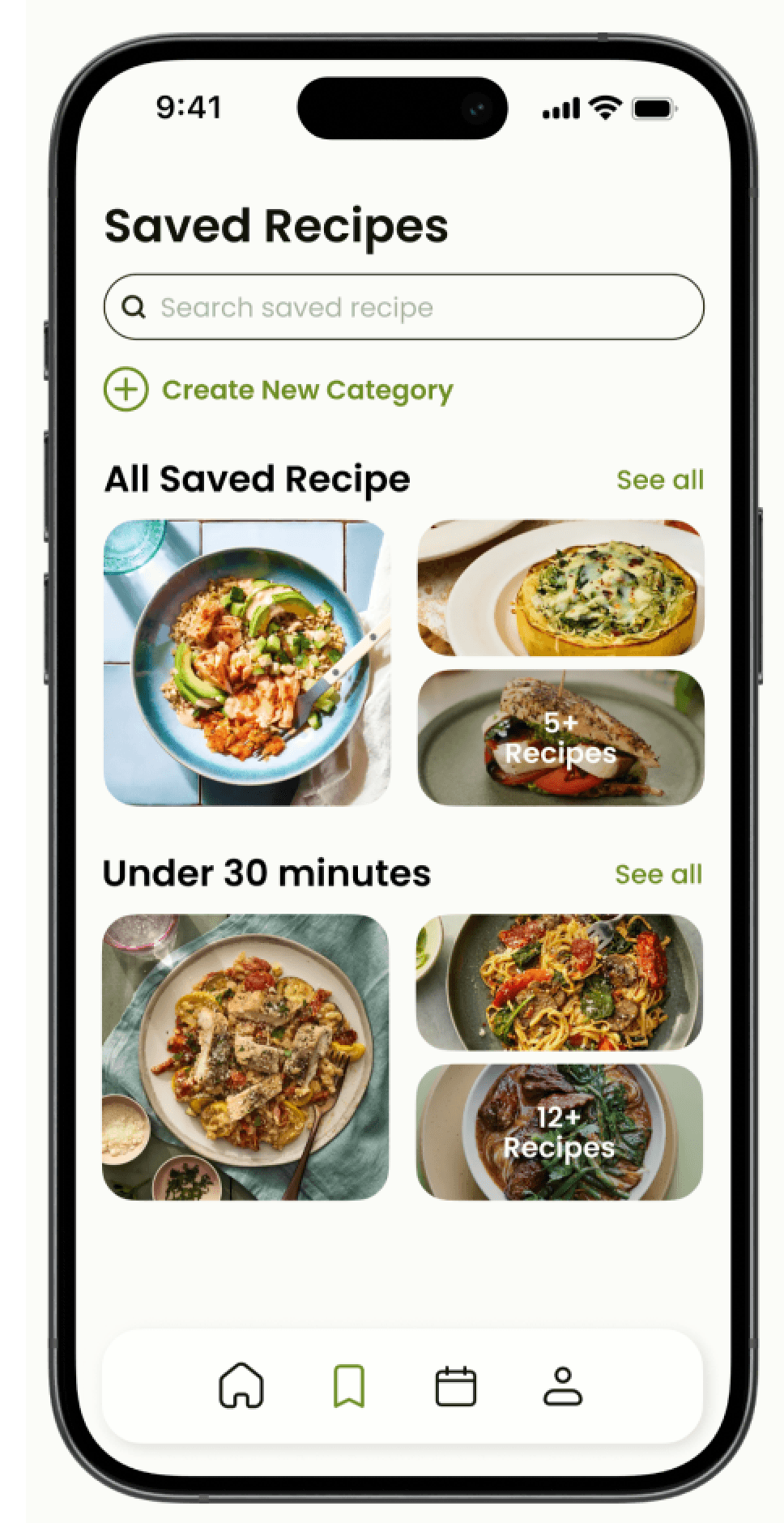
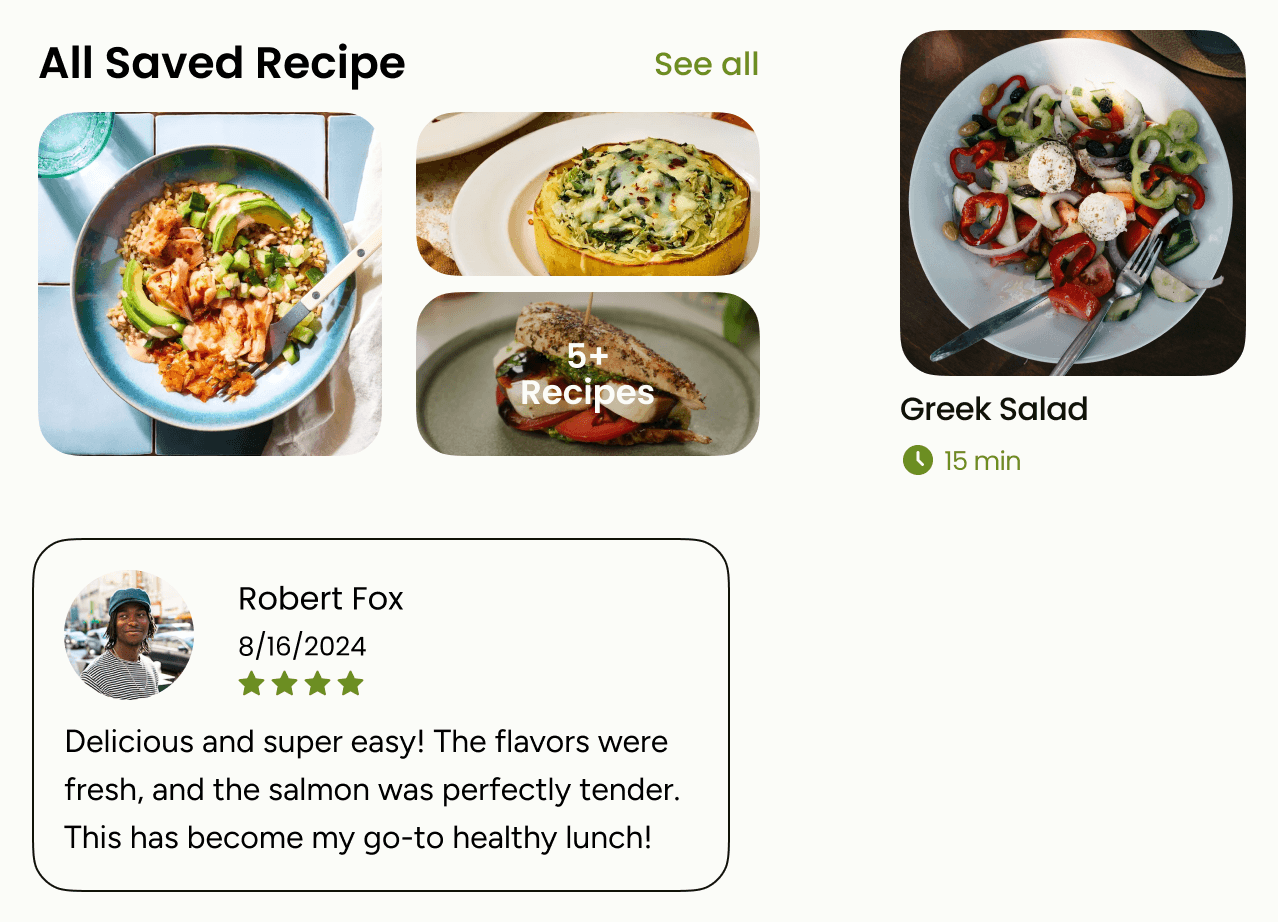
The Saved Recipe provides users with a centralized location to access all their favorite recipes. Users can easily save recipes they love and categorize them for better organization. This feature allows users to create personalized categories, making it simpler to find recipes based on meal type, dietary preferences, or any other criteria they choose.
Meal Plan
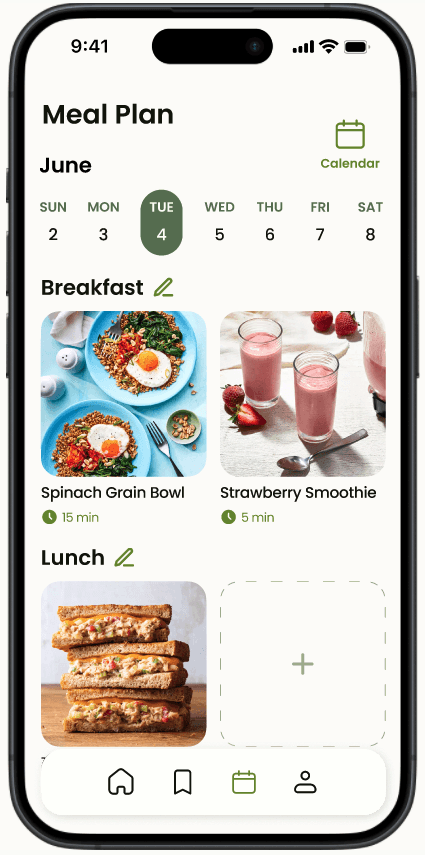
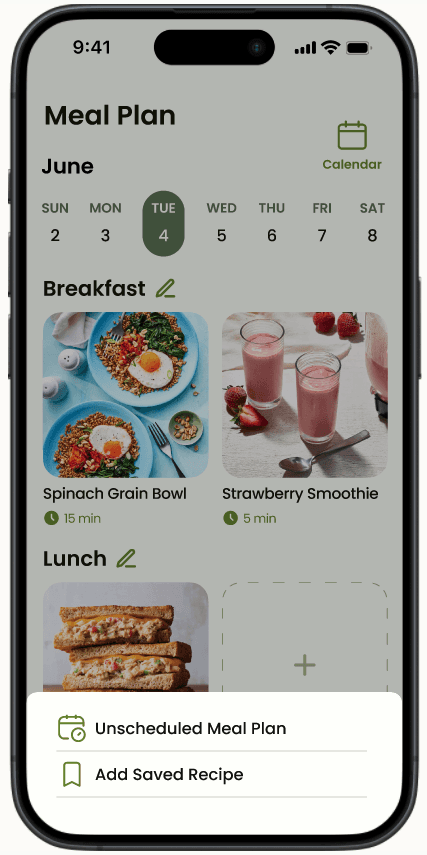
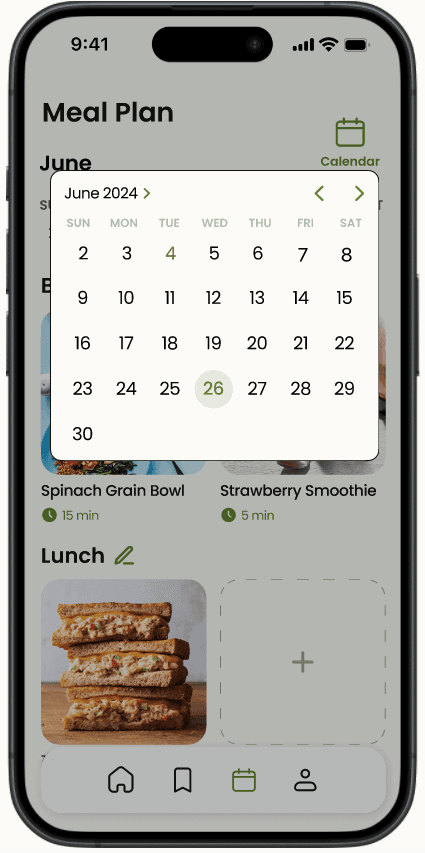
The Meal Plan is designed to assist users in organizing their meals for the week. It allows users to effortlessly schedule their meal plans using recipes they’ve saved or create new plans from unscheduled recipes. Users can allocate meals to their desired times throughout the day or week, enhancing their meal prep efficiency. Additionally, the calendar view feature provides a visual overview of their planned meals, making it easier to manage and adjust their cooking schedule as needed.
Design System
Colors

#1F260F
#6B8E23
#A9BBA3
#FBFCF8
#FEFFFC
Typography
Poppins
Regular
Medium
SemiBold
Figtree
Regular
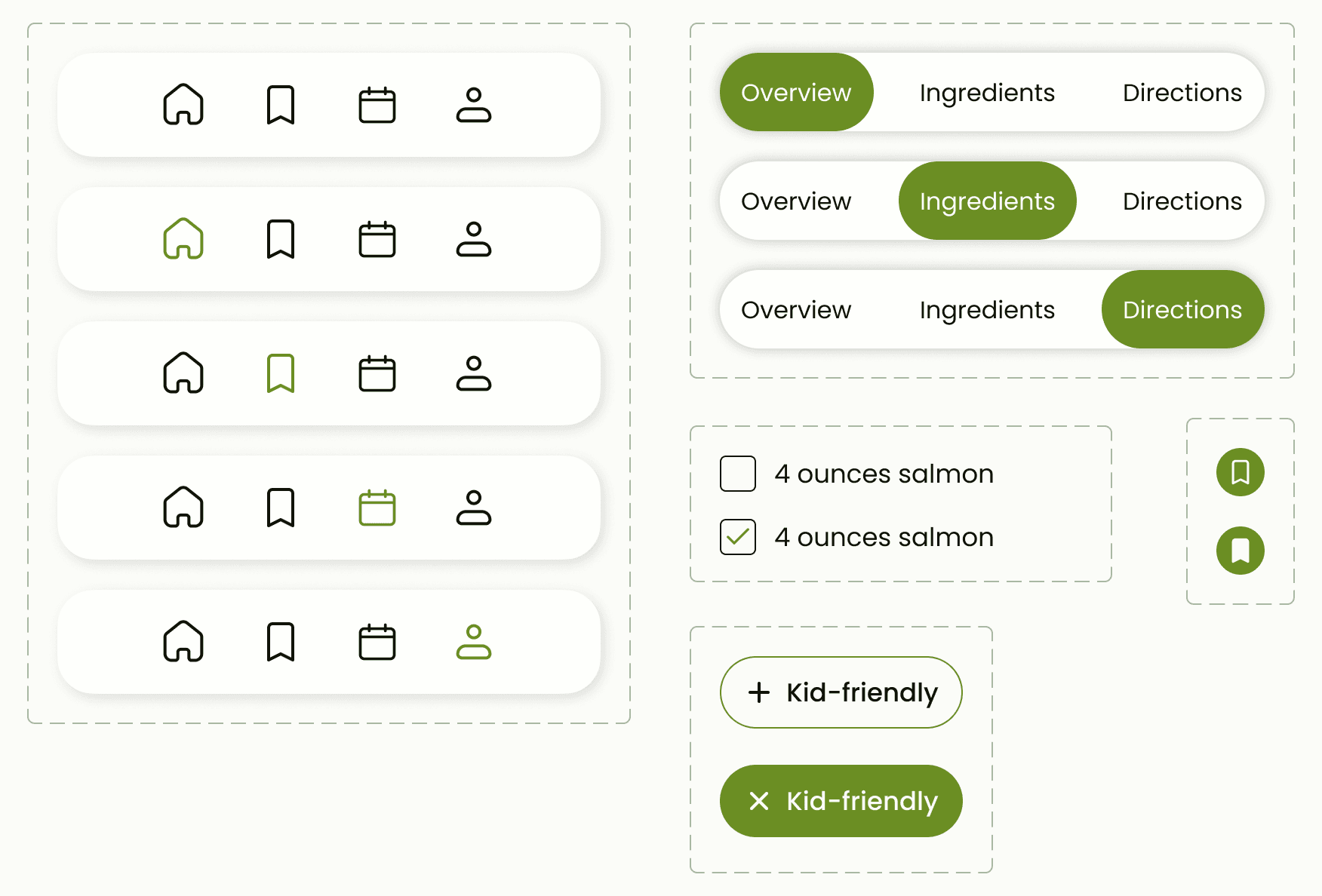
Component
Thanks for exploring
tzuyunluo@gmail.com